
Document workflows / consultants and teams
Start with the argument, then the document.
Doc Assistant explores document planning for consultants and teams who need a clear outline before the formatting begins.
Independent product concept. Preview available.
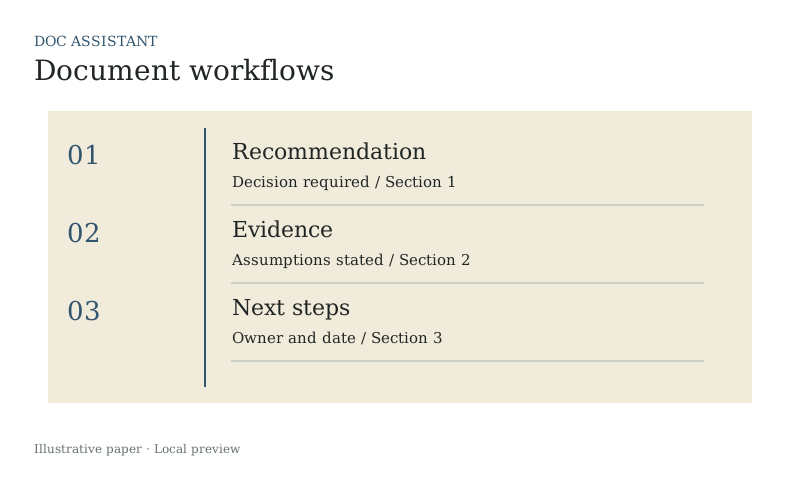
State the reader’s decision first. Arrange sections around the evidence needed to make that decision, then review the gaps.
A related web resource
A public document needs a reader brief
Reports and explainers written for the web need a clear question, supporting evidence and an intentional content structure. That is a different brief from an internal memo. Webbnix offers documentation and help content within its content marketing services.
Field notes
01Outlining a decision document
A long draft can contain every fact and still leave the reader unable to see the recommendation or its supporting evidence.
Making assumptions visible
State the reader’s decision first. Arrange sections around the evidence needed to make that decision, then review the gaps.
Reviewing a draft for missing evidence
A practical note using the next steps example.
Reviewing a draft for missing evidence
Explore Doc Assistant ↗Doc Assistant / specimen
An example to explore
| Item | Context | State |
|---|---|---|
| Recommendation | Decision required | Section 1 |
| Evidence | Assumptions stated | Section 2 |
| Next steps | Owner and date | Section 3 |
A closer look
Outlining a decision document
A long draft can contain every fact and still leave the reader unable to see the recommendation or its supporting evidence.
State the reader’s decision first. Arrange sections around the evidence needed to make that decision, then review the gaps.
Read the note →